

https://system76.com/pop/download/
Release Notes
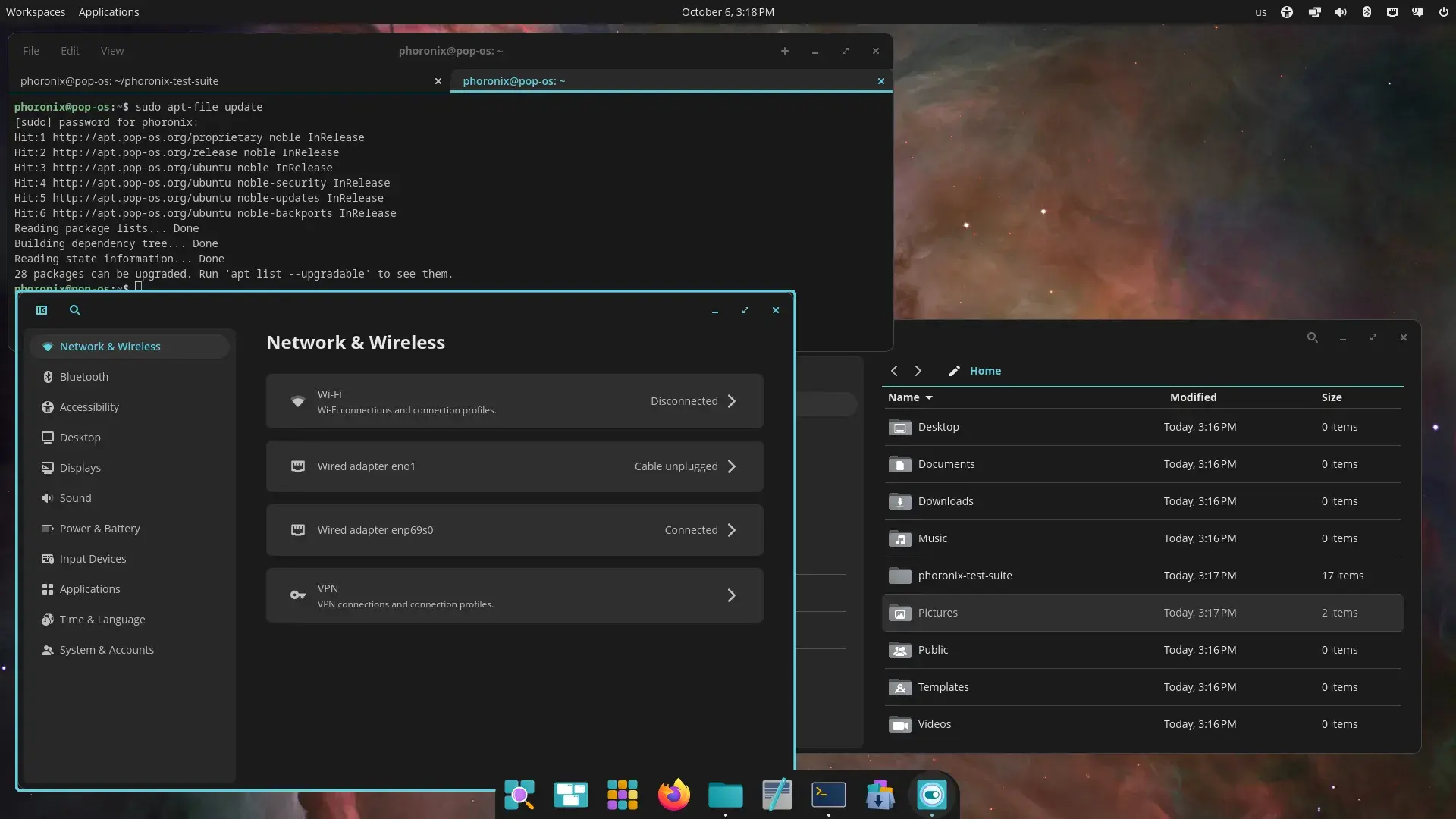
Pop!_OS 24.04 LTS includes the new COSMIC Desktop Environment, designed and developed by System76.
Some GNOME apps are replaced by COSMIC apps
- GNOME Files (Nautilus) > COSMIC Files
- GNOME Terminal > COSMIC Terminal
- GNOME Text Editor > COSMIC Text Editor
- GNOME Media Player (Totem) > COSMIC Media Player
Pop!_Shop is replaced by COSMIC Store
Key components
- COSMIC Epoch 1
- Linux kernel 6.17.9
- Mesa 25.1.5-1
- NVIDIA Driver 580
Some games may start partially off-screen. Press F11 or Super+F11 to fullscreen the game
Display toggle hotkeys and an on-screen display is not supported yet
COSMIC has a built-in screenshot tool. If you require annotations, we recommend Flameshot, which can be installed from Flathub via COSMIC Store. Version 13.1 or higher is required for COSMIC
COSMIC is not currently optimized for touch devices. An on-screen-keyboard is in development.
The COSMIC Desktop will be continuously updated with new features and improvements after release
Kernels and hardware support are continuously updated in Pop!_OS
You can follow COSMIC DE feature and improvement progress on the project board
Good call IMO, my distro just upgraded to MESA 25.3, and I’ve had problems with black screens in games since that. I even tried switching to older kernels and since it’s apparently not the kernel, my guess is on the MESA driver.
PS:
I use a Radeon RX 6600 XT GPU, and it has worked fine for years before the upgrade.
I checked the cabling first, and that the card was firmly socketed, but they are fine, and it clearly happened after the kernel/MESA upgrade??? It doesn’t happen in desktop, only in games.
EDIT!!!
Turns out it was KDE/Wayland that caused the problem, for some reason the upgrade moved me from X11 to Wayland, and I had to install X11-session for KDE, after switching to that it works fine again.
Sad that Wayland which is supposed to be the better supported option now fails where X11 is still going strong.
Unfortunately, KDE is planning to remove X11 session entirely around 2027, so if the problem still persists then it might be wise to find another distro or stick with old KDE versions.
Personally, I have XFCE installed alongside KDE for running programs that are buggy on Wayland (which was few and far in-between). Otherwise, my hardware supports Wayland well (as it only has Intel integrated graphics anyways).
I used XFCE many years because there were bugs and limitations in KDE I couldn’t live with.
Now I’ve used KDE for about 2 years without issues, and they pull this stupid stunt!
I still have XFCE installed, and when I switched to that my games worked fine again. Then when I wanted to switch back to KDE/X11 I couldn’t. It was friggin removed as an option after the latest upgrade, despite I specifically used KDE/X11 instead of Wayland because of a KDE/Wayland limitation that you can’t disable compositing.
I do use compositing, but I like to have the option to disable it if I need to. And it was when I noticed I couldn’t disable compositing, I switched to XFCE to see if that worked.
So long story short, I had to install a kde-x11-session package to be able to switch to it? WTF??
I must admit this incident has made me think of switching to another distro that respect user settings more.
PS:
My short trip to XFCE was quite nice, they have refined the design some since last I used it. But damned I’ll have to port all my hotkeys again, I used top have them in xbindkeys, but I moved them to native KDE to be compatible with both X11 and Wayland. 🙄
This is the blog post that details KDE’s plan to remove X11. The linux experiment, as far as I know, also mentioned it in his linux open source news videos.
Hopefully things will work with Wayland at that point.
I have a 6700XT and was using Debian Testing (it was trixie), it was super stable, then it became to be extremely unstable around april 2025. I think it was a mix a buggy mesa update and a buggy kernel update. It was so awful that I had to remove Debian :( (multiple full freeze a day). I went full Gentoo and it was super stable. I tried trixie again some days ago and it was still extremely unstable, unfortunately… (only on this machine, the others work fine). Mesa 25.3 has fixed a “turn page flip error” on these cards, but not everything is smooth.
It would be nice if we could switch MESA version as easy as we can switch the kernel.